


Project journal Tools & Software
Voron Mod Hub: turning a huge table into a browsable catalog
A build log for a static, searchable view of the community-maintained VoronUsers mod catalog.
This is the dated story. Find it in Resources
Current checkpoint
In useStatic catalog with scheduled data refreshes
- Started
- Updated
The build in brief
- Voron Mod Hub turns the community-maintained VoronUsers mod table into a static catalog that can be searched and filtered in the browser.
- A parser converts the upstream Markdown table into structured JSON, including inferred compatibility for five primary printer families.
- The site deploys as static files to GitHub Pages, with a scheduled workflow that refreshes data and rebuilds the catalog.
- Card previews are cached from mod READMEs so browsing has more visual context without manually curating every entry.
Jump to a section
One bad table and an idea
A buddy was digging through the VoronUsers table and said, more or less, “this is garbo.” He was right: the catalog was useful, but it was not a pleasant place to browse for a specific mod.
That complaint sparked the hub. There was also an official Voron Mods page, though it was not easy to find at the time. This app may not strictly need to exist, but it is an independent, evergreen way to browse the community catalog, so what the hey.
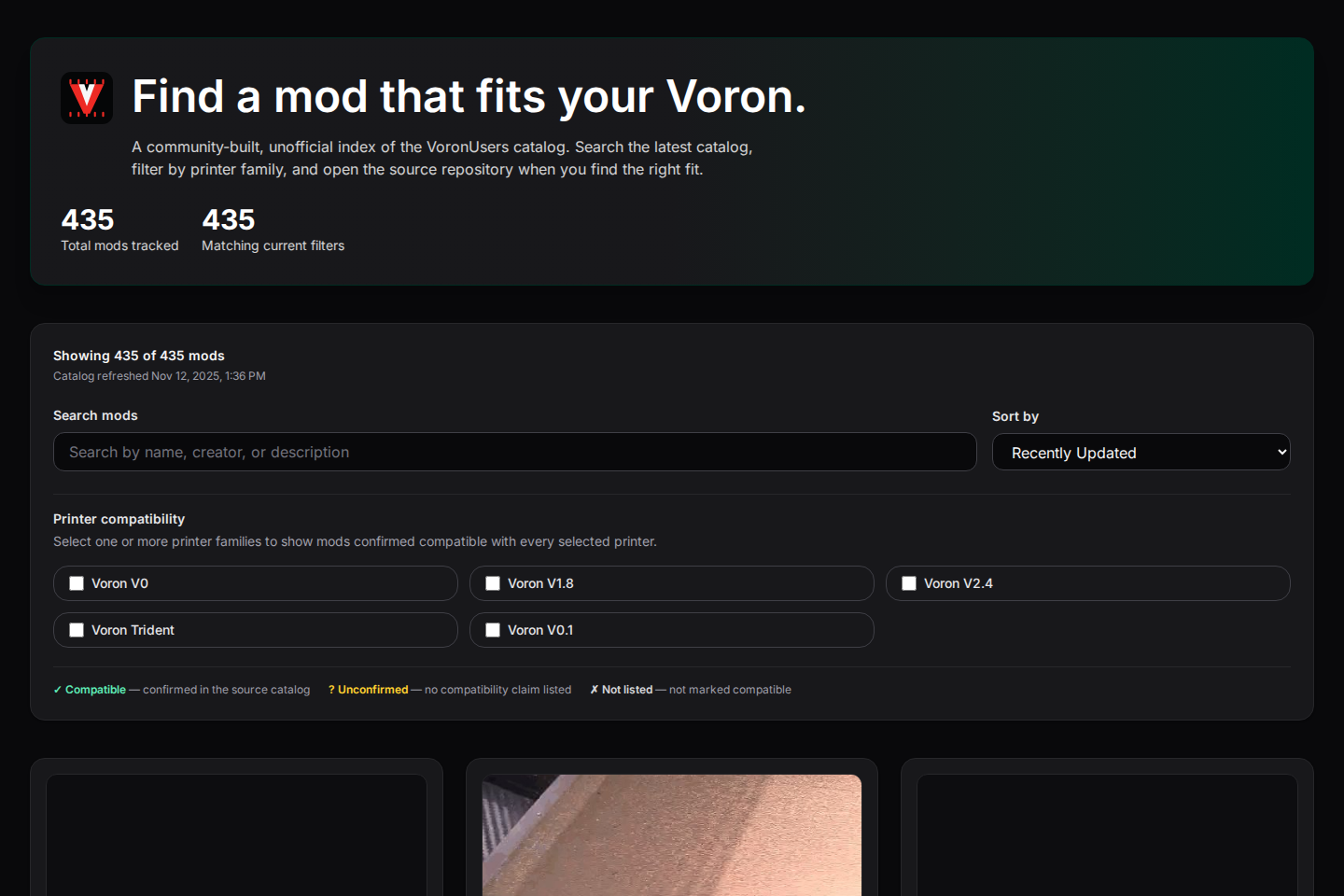
The catalog already existed; finding things was the problem
The source of truth is the community-maintained VoronUsers catalog. It is useful precisely because it is broad, but a large Markdown table is not the friendliest place to browse when you are trying to find a mod for a particular printer.
Voron Mod Hub does not replace that catalog or invent a separate database. It reads the printer_mods/README.md table, turns it into structured data, and ships a fast client-side view of the result. The idea was to make the existing work easier to explore while keeping deployment simple enough for GitHub Pages.
Parsing a human-maintained table
The parser downloads the upstream README and walks its rows into public/mods.json. The table can leave creator cells blank when the creator is the same as the row above, so the parser carries that value forward. It also derives compatibility flags for the five primary printer families from the table's contents.
That conversion is the real seam in the project: upstream Markdown remains the source, while the browser receives predictable records it can search and filter. If the upstream table layout changes, the parser is the one part that needs to understand the new shape.
Keep the interaction in the browser
The published site is a static Next.js export. It reads the generated JSON at build time, then performs searching and filtering on the client. Visitors can search by title, creator, or description and narrow the list by printer family without asking a server to interpret the query.
Filter state is also reflected in the URL. A link such as ?q=query&printers=v2_4 restores the search and selected printer family for the next visitor, making a useful find shareable rather than trapped in one browser tab.

Giving a catalog visual handles
Names and short descriptions help, but images make an unfamiliar mod easier to scan. The build tries to capture the first image from each mod's README and caches a JPG preview locally. Cache metadata tracks the source so later runs can reuse images that have not changed.
That is deliberately automated rather than a manual gallery project: the catalog can grow or change without requiring someone to select and upload every card image by hand.
Static does not have to mean stale
GitHub Actions runs the refresh on pushes, on a nightly UTC schedule, and manually when needed. The workflow parses the source catalog, commits mods.json when the data changed, runs the lint and static build checks, then deploys the static output to GitHub Pages.
No secrets are required because the source material is public. The tradeoff is clear too: a changed upstream table can require a parser update. That is a healthier failure mode than quietly serving a private copy of the catalog with no connection to its community-maintained source.
The small post-launch details
Later updates concentrated on the unglamorous edges of static hosting: image paths needed to resolve correctly under the GitHub Pages base path, and the site gained a favicon that had to be served from that same path. These are modest changes, but they are part of what makes a static tool feel finished rather than merely exported.
Browse the catalog
Open Voron Mod Hub or see the project source.